Accounting is a sphere that revolves around meticulous attention to detail. After all, those involved in it have to keep clients financially organized, compliant with tax regulations, and ensure that bookkeeping and payroll activities are performed accurately.
Naturally, accounting firms are focused on acquiring the best possible software to help carry out their daily activities. However, many tend to overlook solutions that don’t directly help with accounting tasks. CRM platforms are one such example.
So, in today’s post, we’ll discuss why a CRM for accounting is a must and the features this kind of tool should possess. That way, you’ll be able to decide for yourselves whether it’s worth your consideration.
Do Accountants Really Need a CRM?

As you may know, CRM software is mainly used to store client data and history of communications while also automating workflows of the marketing, sales, and customer support staff. The overall goal of such systems is to improve a company’s relationships with customers by effectively centralizing and managing relevant information.
Uncover the 7 Main Benefits of a CRM
So, it is easy to see why finance institutions, healthcare companies, retail organizations, and other enterprises may need it. However, when it comes to accounting, you might hesitate and wonder if a CRM is truly necessary. After all, accountants are primarily focused on auditing, offering financial advice, and the like, not attracting new clients.
Well, that may be true if we think of a small in-house accounting team at a specific company, but it’s not the case when you consider entire accounting firms. In this article, this is the context we are focusing on.
Just like an insurance company or a manufacturing organization these businesses need to attract clients, deliver top-notch services, and ensure good levels of customer retention. As you may have guessed, a CRM platform can help with this by basically taking repetitive work off of the accountant’s hands and allowing them to focus on financial activities.
Essential Features of a CRM for Accounting Firms
Now that we’ve established the value of an accounting CRM, let’s go over the key features of this software that you should be on the lookout for.
Integration with Accounting Tools
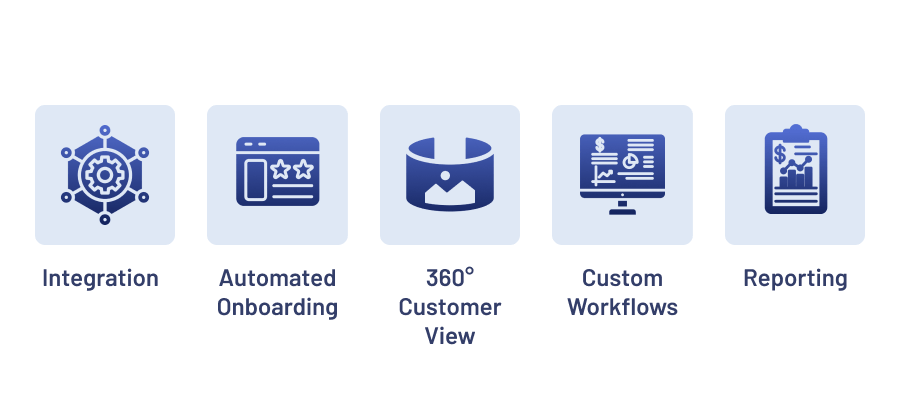
Likely the most important feature of CRM software for accounting firms is its ability to integrate with other tools that help you do your job. So, it’s crucial that you ensure the chosen system can seamlessly connect with accounting solutions you use on a daily basis.
Having a CRM and an accounting platform work together will allow your staff to provide consistent, reliable, and truly professional services as they will always have access to the latest information.
For example, by having a CRM integrated with a tool like QuickBooks, any new details entered into either system will automatically sync onto the other. Thus, ensuring that all aspects of your firm’s relationship with a client are covered.
Find out how we boosted productivity through a CRM Integration with QuickBooks
Automated Client Onboarding
As you know, every time a new client chooses your firm, you’ve got to onboard them so that everyone’s on the same page about what they have to do. After all, it’s hard to deliver effective accounting services if you aren’t provided with relevant documentation and information from the customer.
However, the onboarding process can be quite time-consuming, especially if your staff is doing it manually. Here, a CRM’s automated onboarding feature can help. By offering email templates, document samples, and scheduled notifications, accountants can easily set up an onboarding program that ensures the most valuable information gets to clients at the right time.
Learn more about one of Velvetech’s Onboarding Software Projects
360° Customer View
No matter if you opt for a custom CRM solution or a ready-made low-code platform, it is imperative that it offers a complete customer view.
Discover How to Build a Custom CRM
In short, this simply means that the chosen tool must centralize all the latest information on the interactions a client has had with your company, the documents they’ve provided, any special requests they’ve made, and the like.
After any contact is made, the system should automatically update the profile so that nothing falls through the cracks. If a customer sends a text or reaches out via social media, everything needs to be recorded in the system. In this regard, many companies find it useful to also integrate their CRMs with call center solutions. That way, even after a phone conversation, any updates can be swiftly recorded.

Gaining Control of Customer Engagements
Custom Workflows
Another valuable feature to be on the lookout for are customized workflows. Overall, a good CRM platform will allow the accounting team to automate many of their repetitive tasks, like uploading documents across various systems, keeping track of customer communication history, and so on. Yet, besides that, it’s worth making sure that you can actually modify these workflows and adapt them to your needs.
Generally speaking, you should keep in mind that many platforms allow for some CRM customization that helps companies obtain a tool that truly caters to their needs. So, whichever provider you choose to go with — ask about the extent of modification possibilities.
Intelligent Reports
Finally, no accounting CRM is complete if it doesn’t provide thorough business intelligence via reports or interactive dashboards. At the end of the day, if you’re going through the trouble of centralizing data and eliminating silos, it’s a good idea to capitalize on all that information and analyze it.
So, check that your accounting firm’s CRM software can carry out some basic data analytics and deliver easy-to-interpret insights on customer behavior, revenue levels, and the like. This is imperative for better decision-making and the company’s long-term success.
Read up on the Types of Data Analysis in Business
Get the Right CRM Software for Your Company
As you can see, accounting and CRM software can actually go hand in hand to help you deliver the best-in-class services to your clients. Particularly, if you obtain a platform that has all of the key features within it.
If you need help figuring out which solution is best suited for your needs — don’t hesitate to reach out to our team. Velvetech has spent years delivering successful CRM implementation services to clients from all kinds of industries. So, we know the best practices and nuances that need to be considered when working on a new project.
About the author